
Microsoft Bot Framework
Live Hub connects to a bot built on the Microsoft Bot Framework over its Direct Line channel.
Set up the bot for Direct Line version 3.0 first, and copy its secret key, which is all Live Hub needs to reach it.
Get the Direct Line secret key
The secret key belongs to the bot's Direct Line channel and is generated in the Azure portal.
To get the secret key:
-
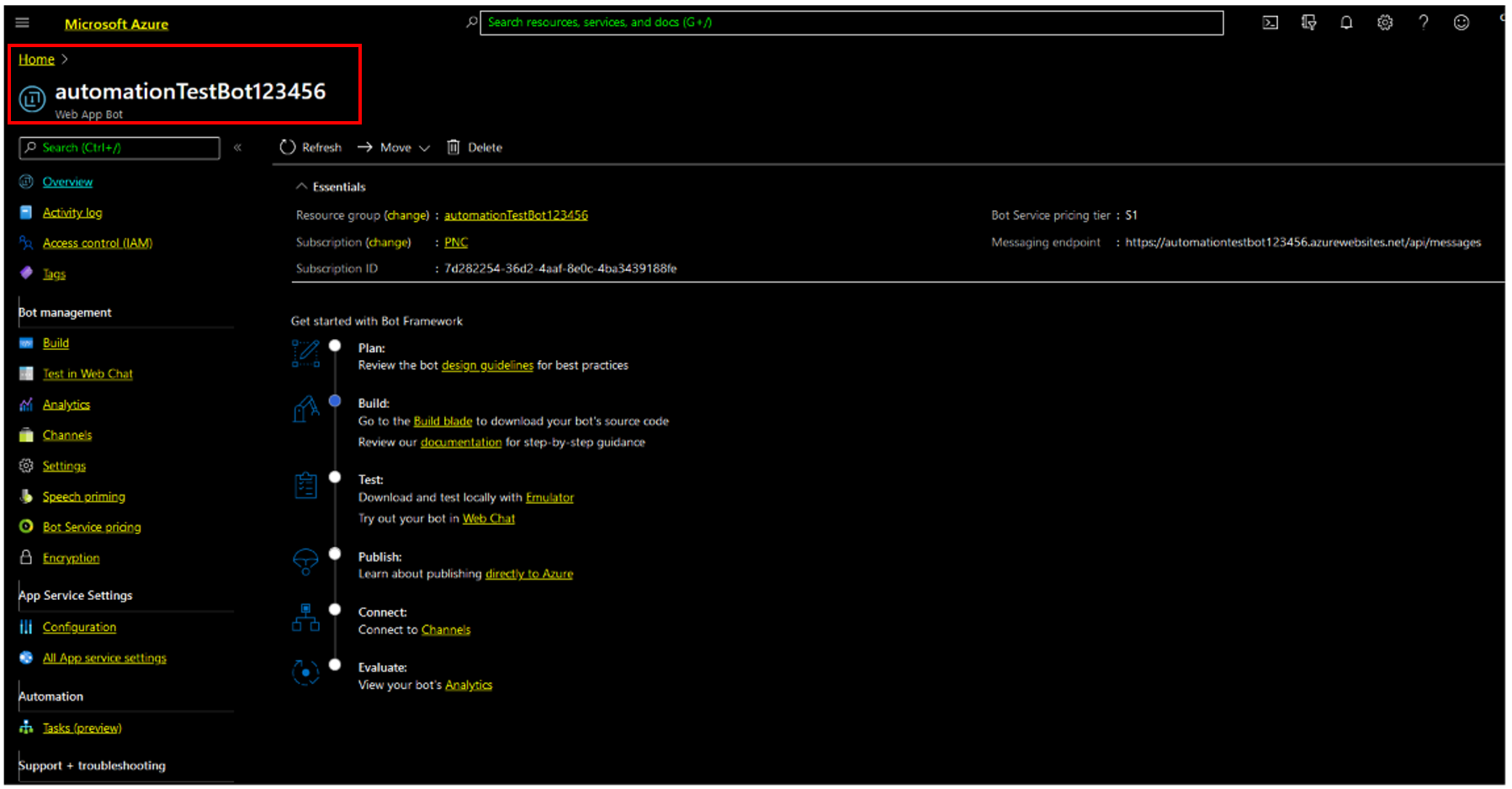
Sign in to the Azure portal, and then select your bot.
-
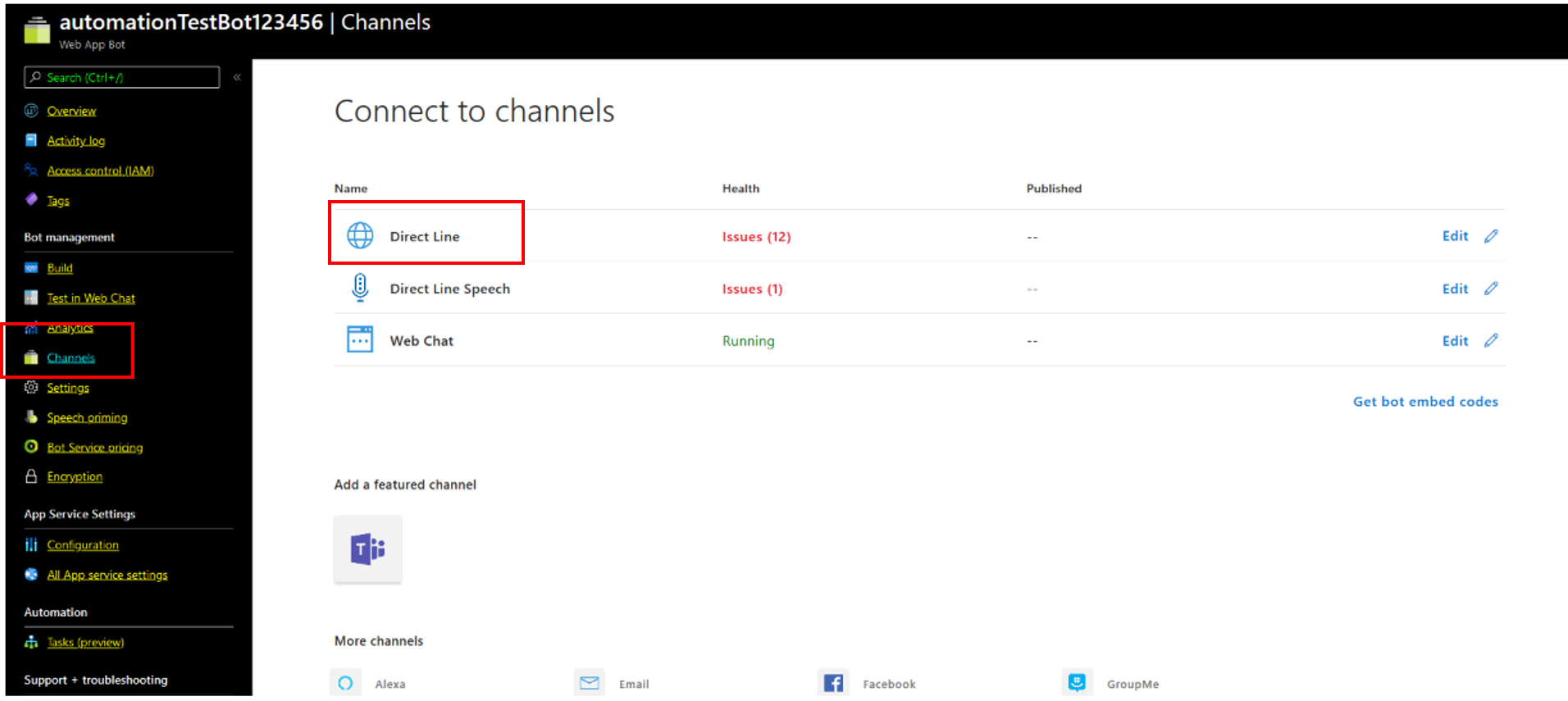
In the navigation pane, select Channels.
-
Click Direct Line.
-
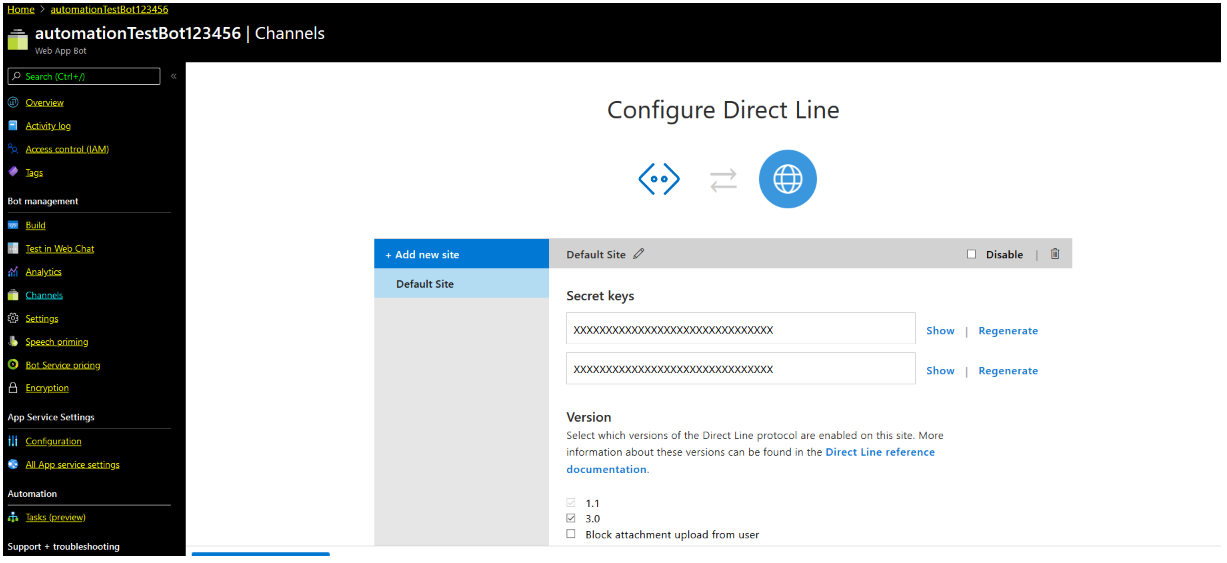
Generate a secret key. Under Secret Keys, click Show, and then copy the value.
Create the bot connection
With the secret key copied, create the bot connection in Live Hub.
To create a bot connection:
-
In the Navigation pane, select Bot connections, and then click Add new voice bot connection or Add new assist bot connection.
-
Select Microsoft Bot Framework, and then click Next.
-
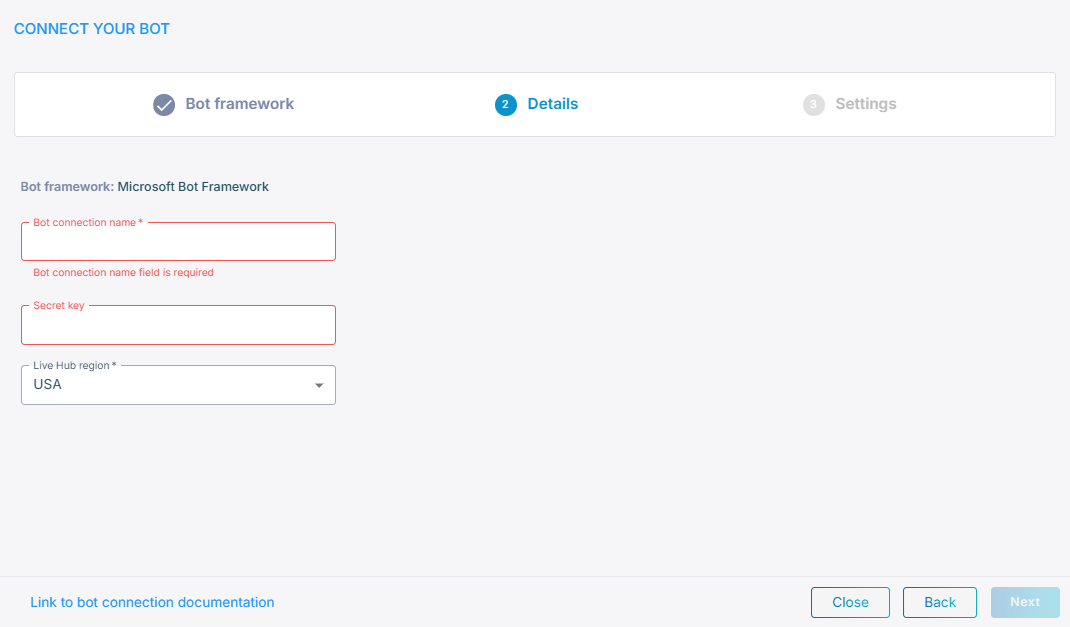
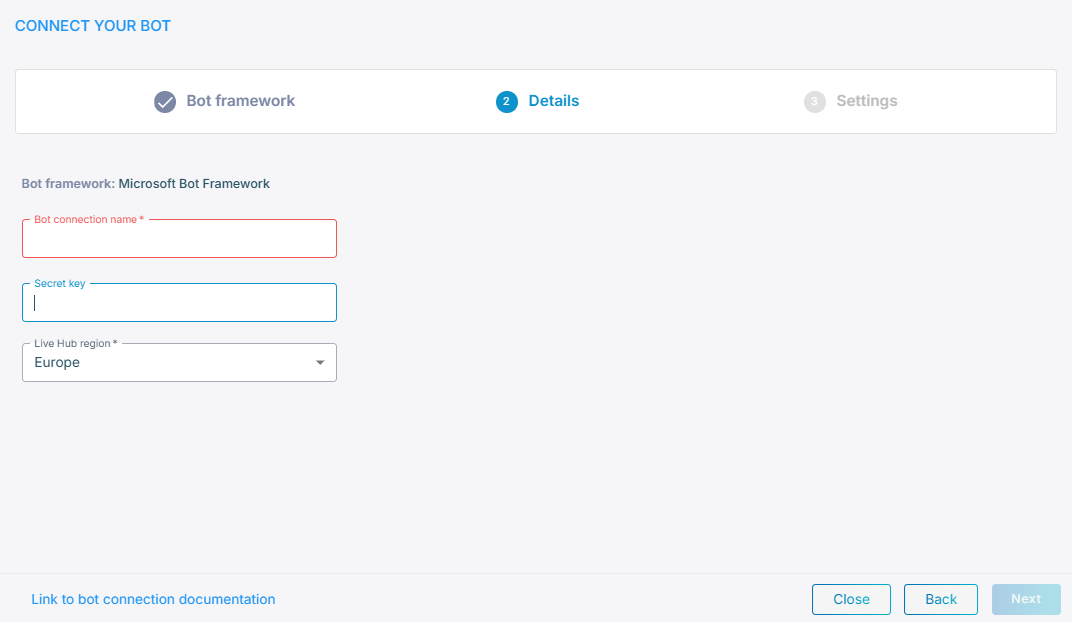
In the 'Bot connection name' field, enter a name for the bot connection.
-
In the 'Secret key' field, paste the key you copied from Direct Line.
-
From the 'Live Hub region' drop-down list, select the region your Live Hub voice infrastructure runs in. See Global region support.
-
Click Next.
-
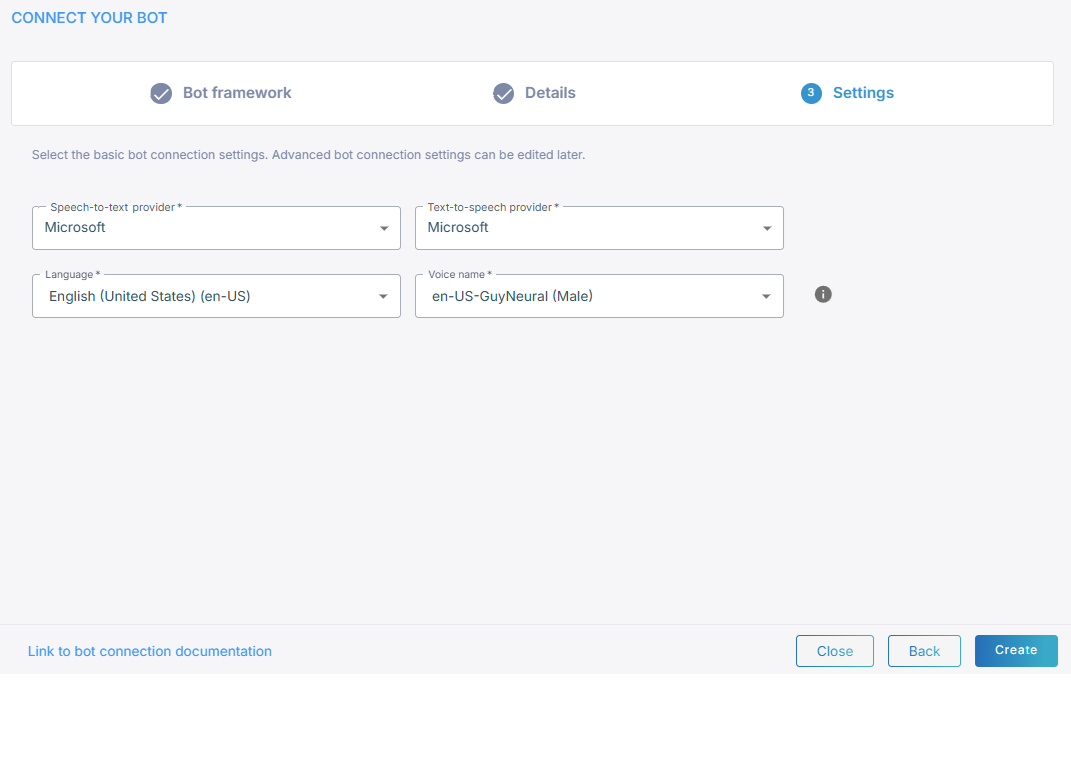
Select a speech-to-text service and a text-to-speech service.
-
Click Create.